
iOS app · Day counter & countdown
Tally Days
Day counter tracker — count days since and until the moments that matter.
How long has it been?
Count up and count down in one calm place: categories, reminders, Home and Lock Screen widgets, iCloud sync across your devices, optional sharing, and a Palantir-minimal dark UI you can theme — built for people who want clarity without noise.
- See streaks, milestones, and deadlines in days, weeks, months, or Y–M–D
- Glanceable widgets + sync that stays between you and iCloud
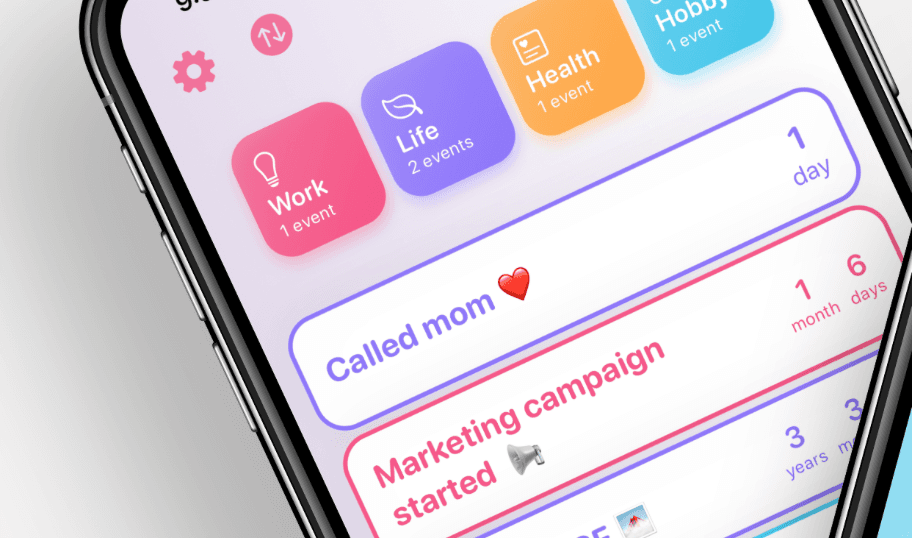
Your counters, your pace — on device and in your iCloud.
What you get
Everything in one app
Tally Days is for anyone who has asked how long has it been — for recovery, health, work, or life. Here is the shape of the app.
Track what matters
Unlimited counters with flexible units: days, weeks, months, and year–month–day, so the math matches how you think.
Count up & count down
Since this date, or until that one — one place, no mix of half-forgotten notes and calendar hacks.
Categories that fit your life
Life, Work, Health, Personal, and custom groups so the right context is always one tap away.
Reminders that match your rhythm
Daily, weekly, or monthly nudges so important counters do not go quiet.
Home & Lock Screen widgets
Glanceable counters on iPhone: the answer at a glance without opening the app every time.
iCloud sync, your account
Counters follow you across iPhone and iPad when iCloud is on — you are not "signing in" to us; data stays in your iCloud and on your devices.
Share & history
Optional ways to mark moments or look back, with you in control of what leaves your device.
Made for
Real use cases, one counter at a time — from the first day to the next milestone.
- Sobriety and recovery
- Habits and streaks
- Milestones and anniversaries
- Health, meds, and check-ins
- Deadlines and launches
- Travel, relationships, and anything in between
Privacy in one line: your data stays on your device and in your iCloud; we do not collect it. Read the privacy policy.
Support
Day counter and tracker for iOS — we are here to help.
How to get help
Email us and we will get back to you as soon as we can. If you are reporting a bug, include your device model and iOS version.
Privacy & your data
How Tally Days handles your data is described on the privacy page. Tally Days Privacy
Common questions
- iCloud: iCloud must be turned on and working on your devices for sync to work across iPhone and iPad.
- Widgets: add the Tally Days widget from the widget gallery; if a counter does not appear, open the app once and confirm the widget is allowed for the size you picked.
- Device and iOS: Tally Days is designed for iPhone and iPad on a recent iOS version. If something looks off, update iOS and try again before writing in.